

Choose a platform
-
 Windows Version 3.31.1.0
213 MB
Download Microsoft StoreRecommended for your device
-
 Mac OS Version 3.29.1
198 MB
Download Download on the Mac App StoreRecommended for your device
-
 Android Version 3.0.65
71 MB
Download Get it on Google PlayRecommended for your device
Overview
Introduction
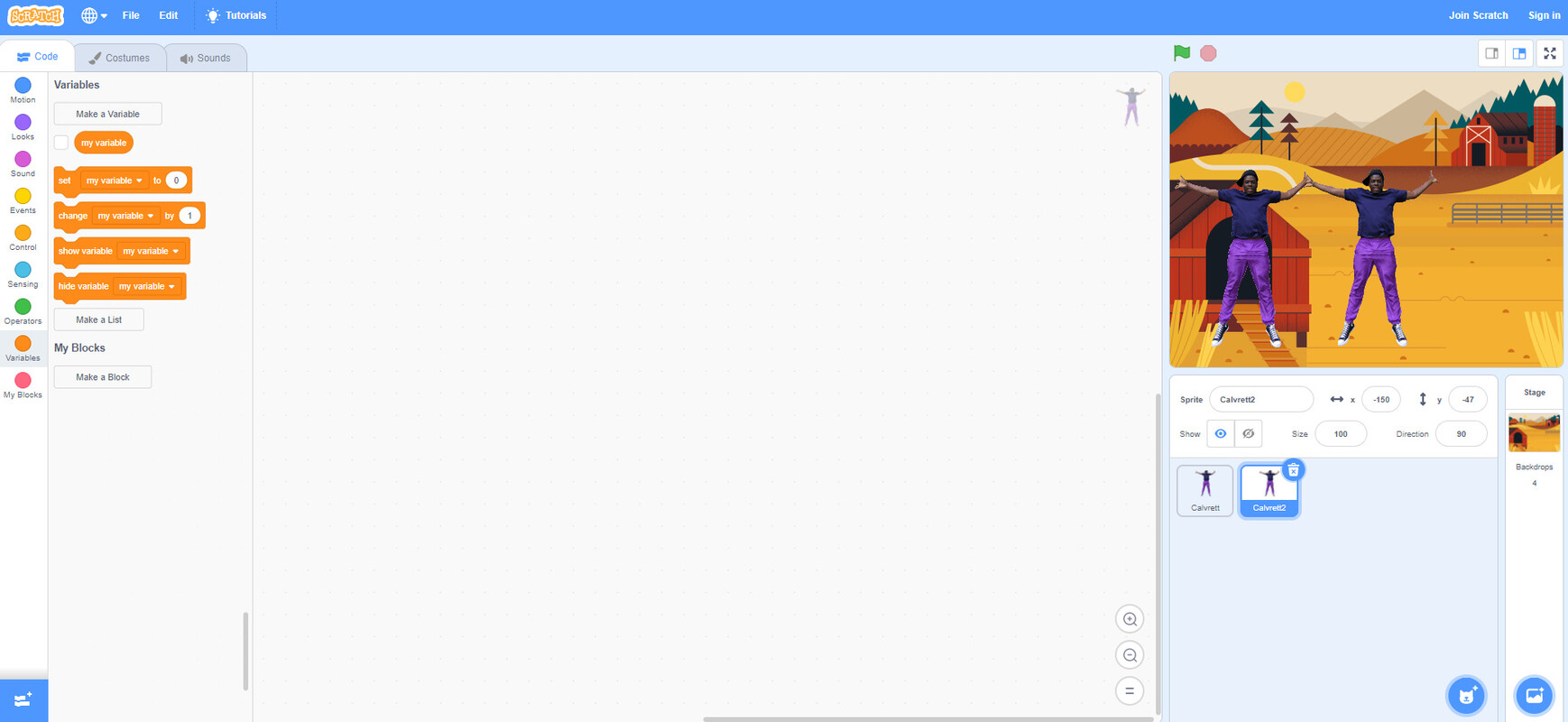
Scratch, a visual programming language and online community, has become a creative platform for beginners and young people exploring the world of coding. Developed by the Lifelong Kindergarten Group at the MIT Media Lab, Scratch offers an intuitive interface through which users can create interactive stories, games, and animations. Let's familiarize ourselves with Scratch's capabilities and answer some frequently asked questions.
The developer behind Scratch
Scratch was developed by the Lifelong Kindergarten Group at the MIT Media Lab. This group specializes in developing creative learning environments that encourage exploration and experimentation, making coding accessible and enjoyable for learners of all ages.
Key Features
- Visual Coding Blocks: A drag-and-drop interface with visual coding blocks is used, making it clear and user-friendly for beginners.
- Online Community: Scratch is not only a programming language, but also an active online community where users can share their projects, collaborate and learn from each other.
- Multimedia Integration: Users can add images, sounds, and sprites to their projects, fostering the multimedia aspect of programming.
- Educational focus: Designed with an educational focus that fosters creativity and problem-solving skills in young people.
- Cross-platform compatibility: Scratch is available both as an online platform (scratch.mit.edu) and as a standalone editor, providing flexibility in use.
User-friendly interface and experience
With its user-friendly interface, Scratch is specifically designed for those just starting to program. Visual coding blocks eliminate the need to memorize syntax, allowing users to focus on the logic and structure of coding.
Conclusion
Scratch is not just a programming language, it's a community and a platform for learning. With an intuitive visual interface, multimedia integration, and a focus on education, Scratch allows novice programmers to take their first steps into the world of coding. Whether it's a child discovering the joy of programming or an educator looking for an engaging learning tool, Scratch has proven to be a valuable resource that makes coding accessible and enjoyable for everyone.
Features
Pros
- User-Friendly
- Visual Programming
- Large Community
- Educational Tool
Cons
- Limited Complexity
- May Not Cover Advanced Concepts
Screenshots
Ask a Question
What is Scratch used for?
Used to create interactive stories, games and animations using a visual programming language.
Can I share my projects in Scratch?
Yes, there is a thriving online community where users can share their projects, rework them, and learn from projects created by others.
What age group is Scratch designed for?
Designed for students of all ages, but particularly popular with children and teenagers.
Similar programs
-
 Planet VPN FreeVPNPlanet
2.8 (236) Free 280 493
Windows, Mac OS, iOS, Android
View Planet VPN -
 Kick Kick Live Streaming
5 (1) Free 103 079
iOS, Android
View Kick -
 Yandex Browser Yandex LCC
3.3 (8) Free 669 048
Windows, Mac OS, iOS, Android, Linux
View Yandex Browser -
 Shotcut Meltytech, LLC
5 (2) Free 48 477
Windows, Mac OS, Linux
View Shotcut


